Every Module, Purpose-Built for Real Estate.
Solutions designed for how your team sells — every role, every stage, every device. Not generic software adapted to property.
One Engine
Eleven Modules. One Connected Platform.

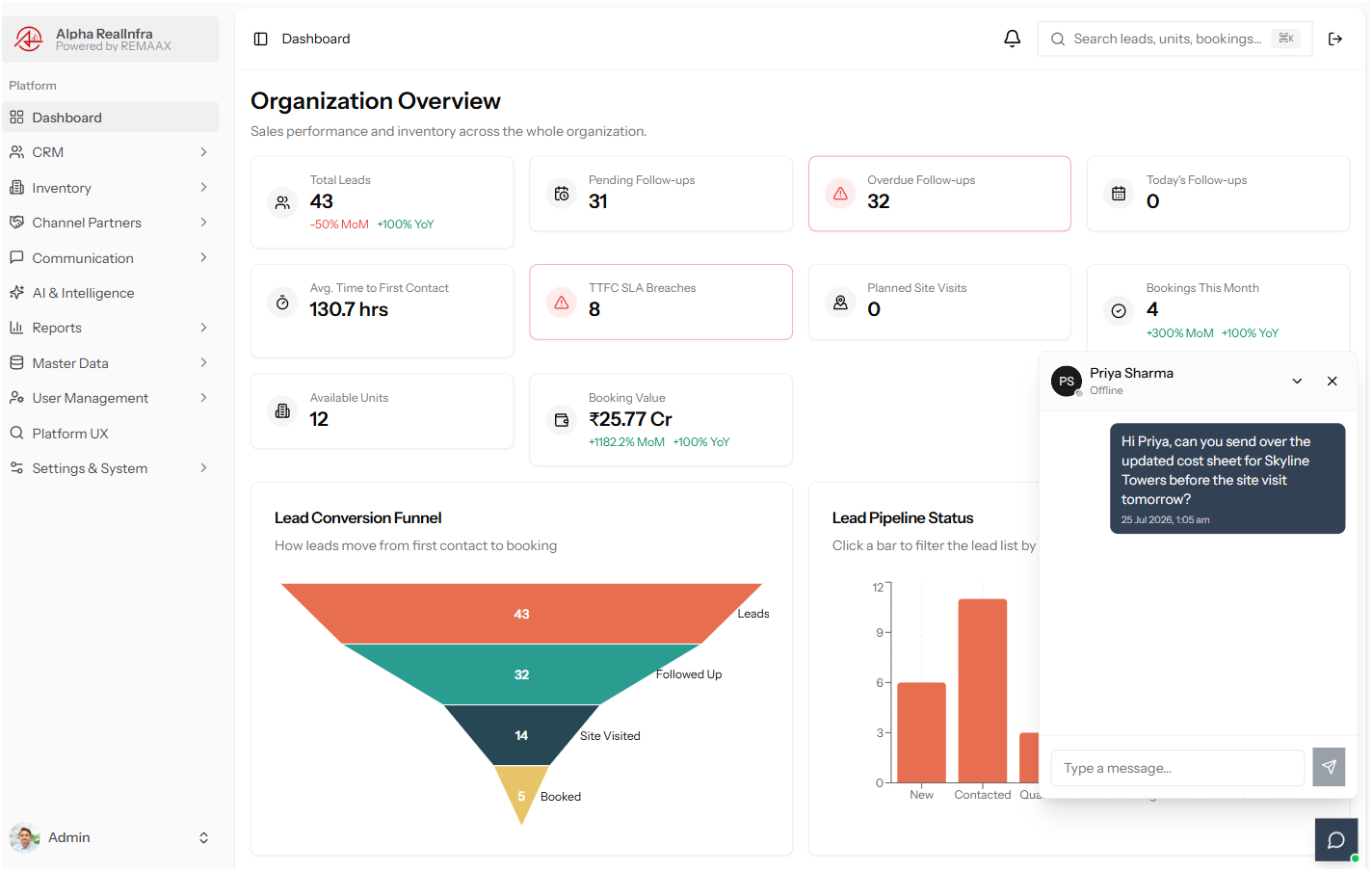
Team Chat New
Talk to Your Team Without Leaving the Deal.
Built-in chat, styled like the messenger you already know. Zero context-switching, zero missed handoffs.
- Always-on chat dock — fixed in the bottom-right of every screen. No separate app, no separate login.
- Presence in real time — green and gray dots show who's online, on the contact list and inside every open conversation.
- Floating conversation windows — open, minimise or close a chat without losing your place in the CRM underneath it.
- Configurable message retention — messages auto-expire after an admin-set window, so history never becomes unbounded data to manage.
CRM · Leads
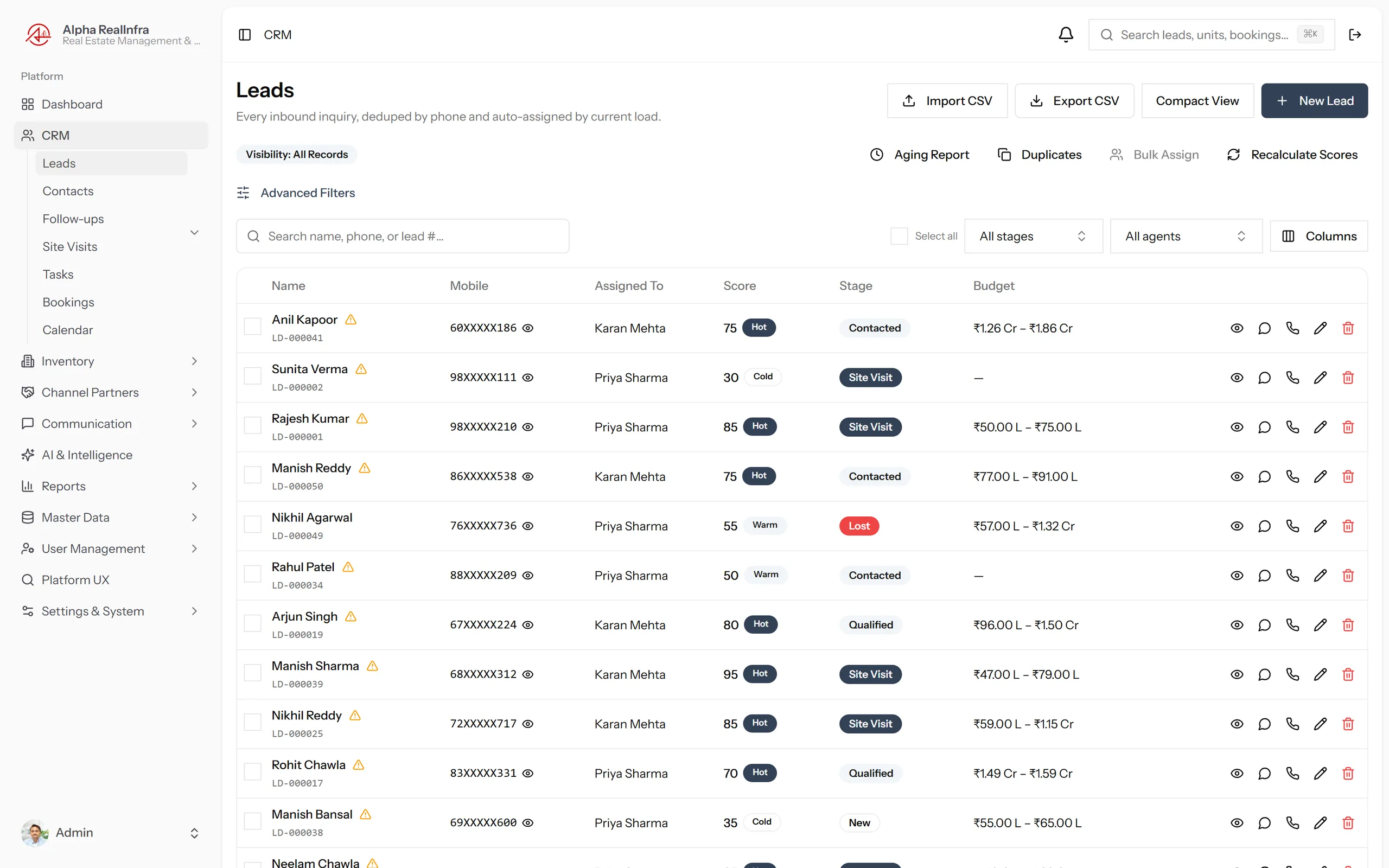
Your Pipeline, Scored and Prioritised Automatically.
Every inquiry, one place. REMEX tells you who to call first.
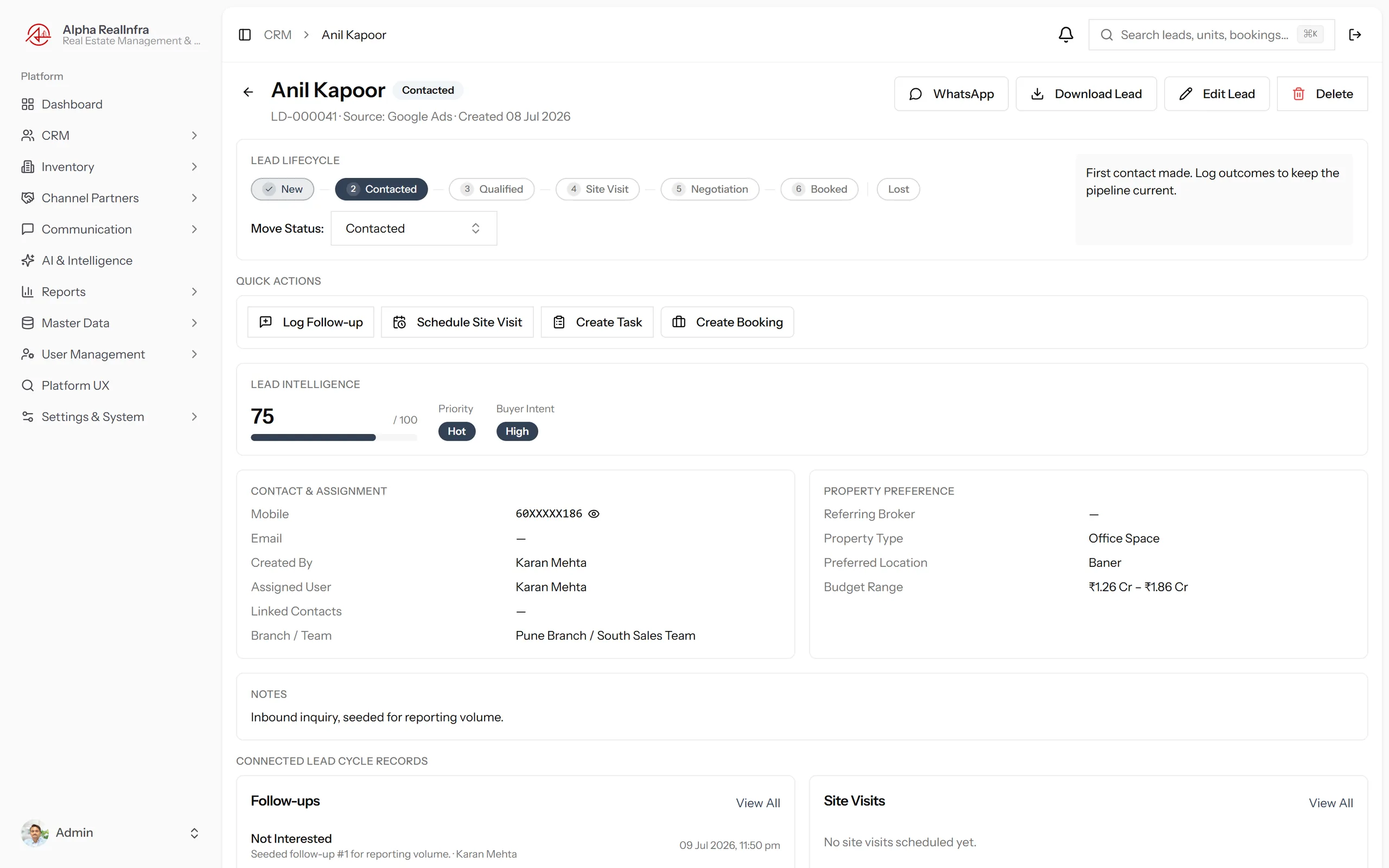
- Automatic 0–100 lead scoring with Hot/Warm/Cold priority and buyer intent, updated continuously as activity changes.
- Duplicate detection on arrival — same phone number attaches to the existing lead. Your pipeline stays clean automatically.
- Bulk lead assignment — redistribute leads across the team in one action when priorities or territories change.
- Lead aging alerts surface stale leads by pipeline stage so nothing sits untouched.
- Phone masking by default — numbers reveal only to users with that specific permission.
Site Visits & Follow-Ups
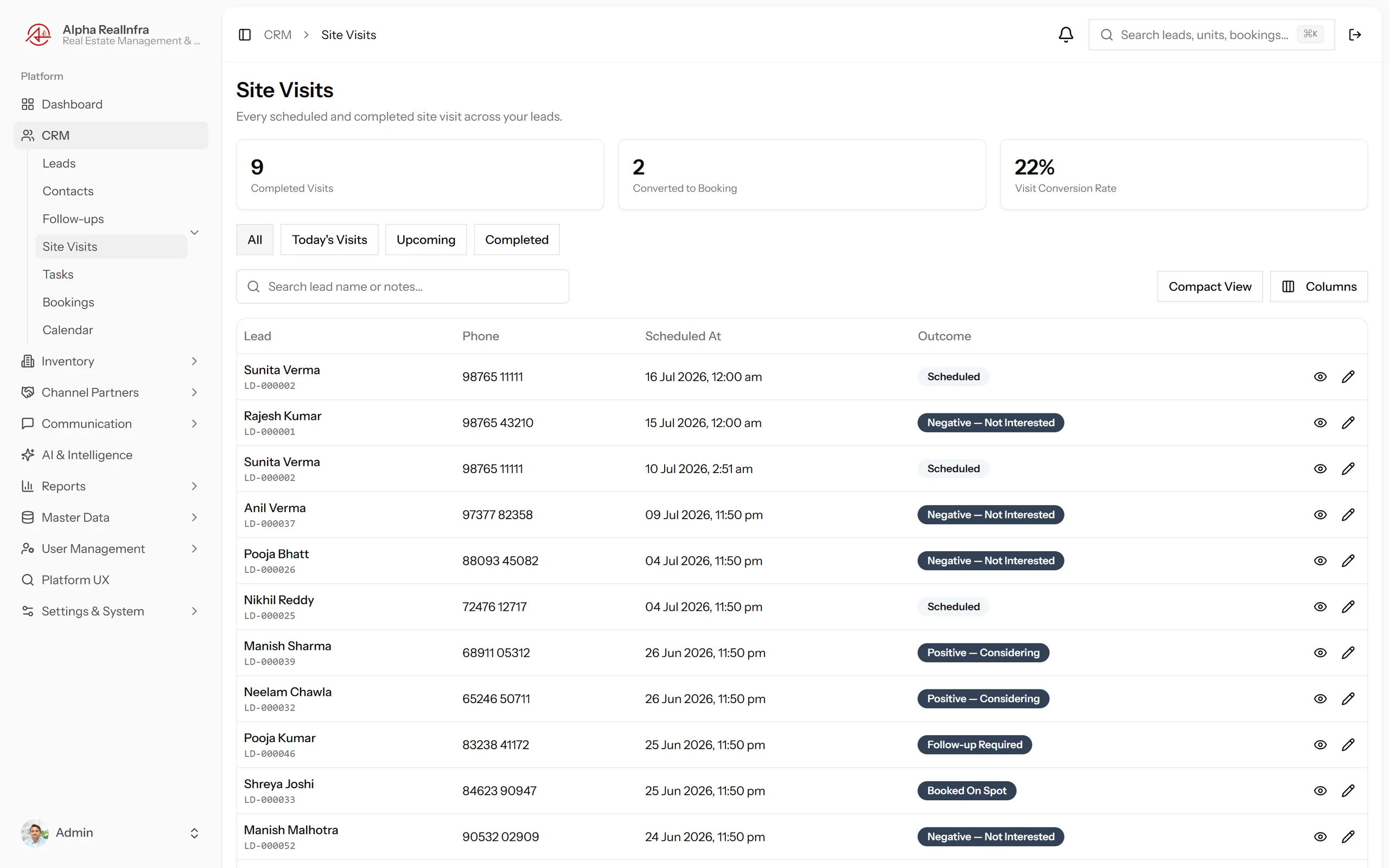
Tracked, Logged, Never Forgotten.
Every visit and follow-up, permanently recorded against the lead.
- Schedule site visits from the lead record — they appear on the shared team calendar automatically.
- Outcome tracking for every visit — interested, needs more time, not a fit — logged permanently and visible to the whole team.
- Overdue follow-ups surface automatically on every agent's dashboard and in dedicated list views.
- Full activity timeline on every lead — every call, visit, note and status change, in chronological order.
AI & Lead Intelligence
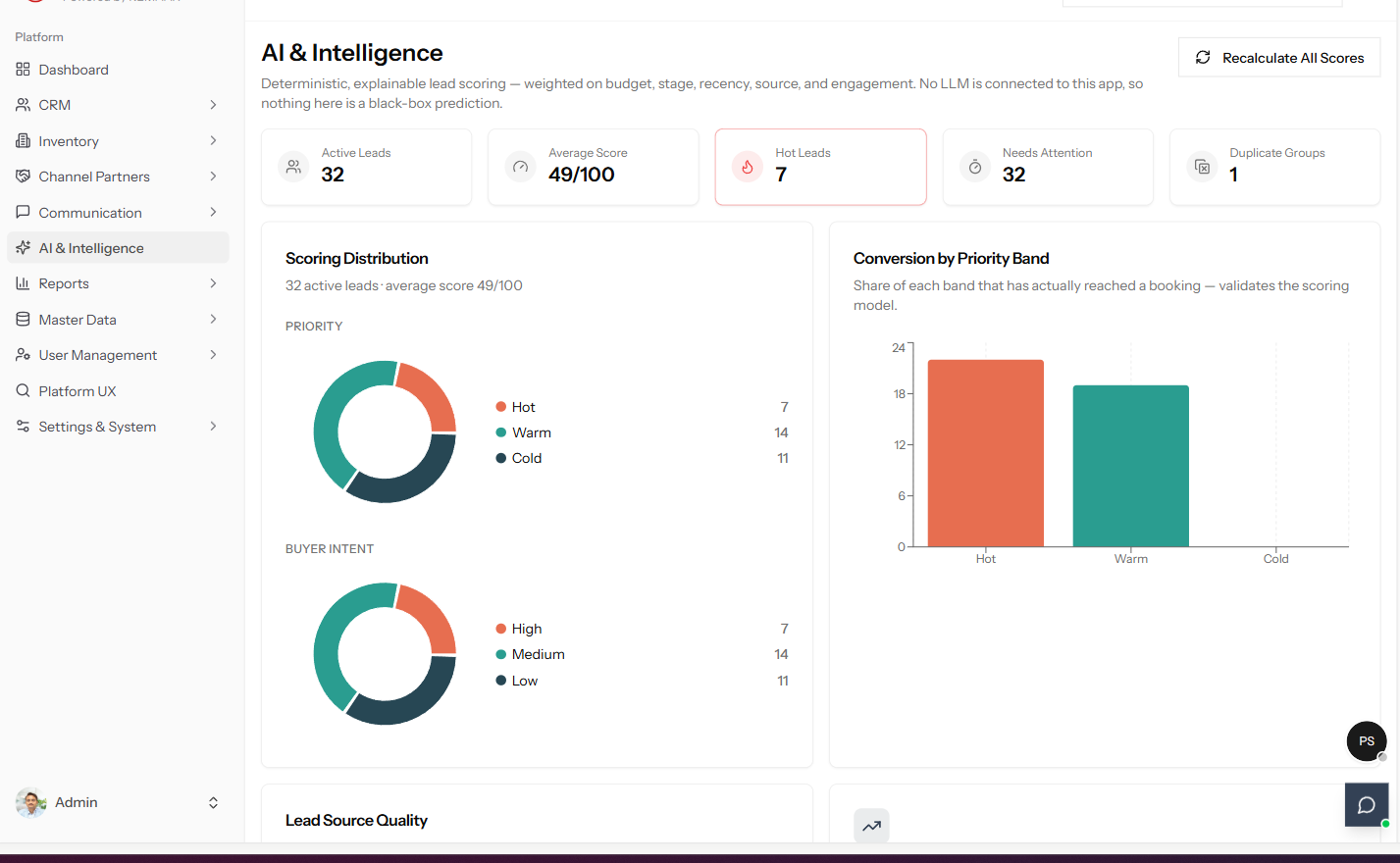
Know Who Is Ready Before They Tell You.
See the score breakdown. Know who to call this morning.
- Score breakdown visible to agents — not a black box. Teams see exactly why a lead is rated Hot or Cold.
- Real-time score recalculation — every logged interaction updates the score automatically.
- Buyer intent tags separate window-shoppers from buyers ready to commit.
Duplicate Detection & Bulk Assignment
A Clean Pipeline. A Focused Team.
Duplicates caught on arrival. Reassign a whole pool in one action.
- Automatic duplicate detection — same number from any source is caught on arrival and merged to the existing record.
- Dedicated Duplicates view for manual review of edge cases — nothing is silently discarded.
- Bulk assignment lets a manager redistribute the team's entire lead pool in seconds.
- Assigned-to filters and branch attribution keep accountability clear across the org.
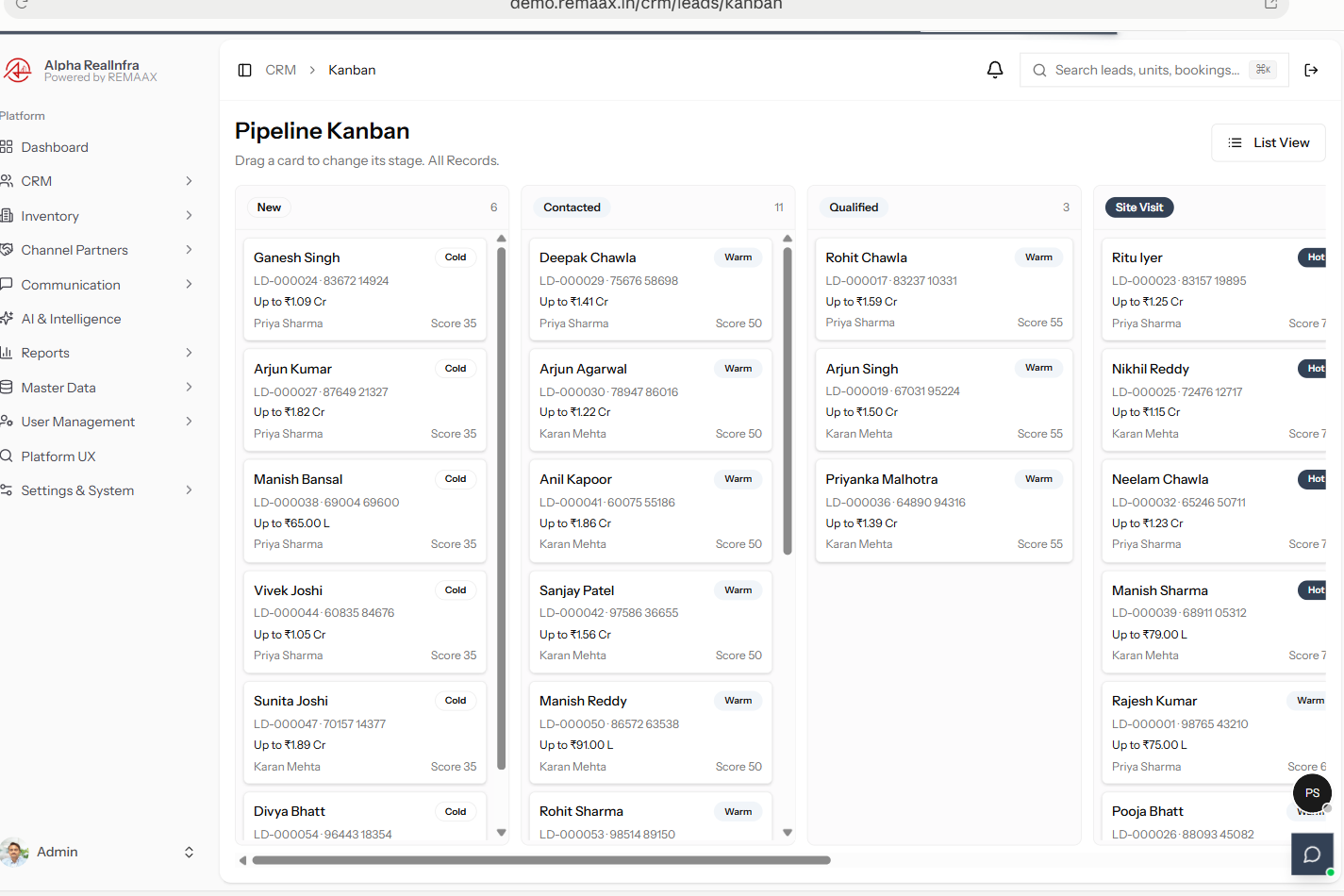
Pipeline Kanban
See the Whole Pipeline. Move It With a Drag.
Every stage, one board — drag a lead forward the moment it moves.
- Drag-and-drop stage changes — New, Contacted, Qualified, Site Visit and beyond, in one board view.
- Score and priority visible on every card — Hot, Warm or Cold, without opening the lead.
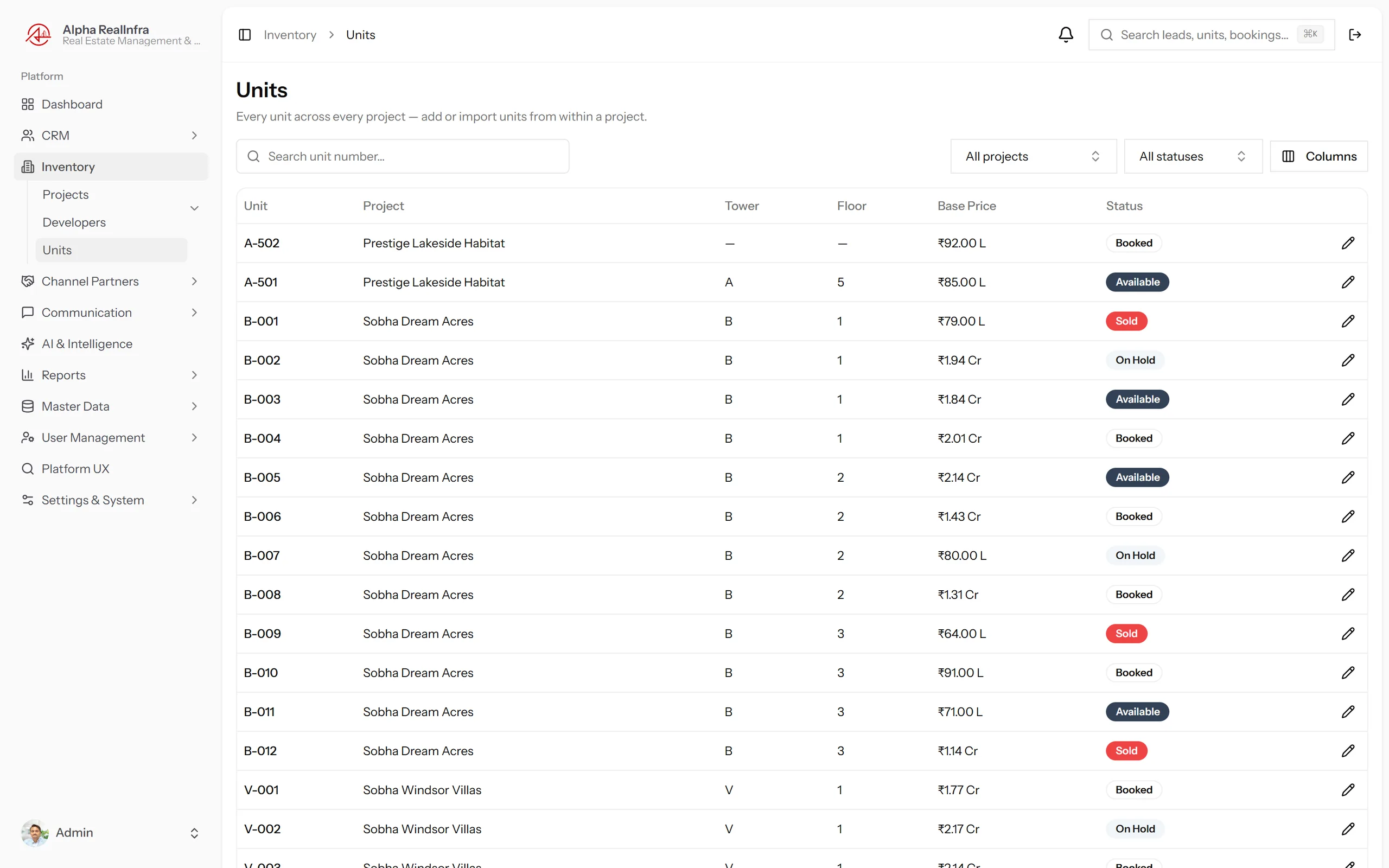
Inventory & Sales
From Available Unit to Confirmed Booking — No Gaps.
Live Inventory
Unit Holds That Are Physically Enforced.
Locked at the database level — a booking conflict is impossible.
- Database-level unit locking — not a status flag. Simultaneous booking of the same unit is structurally impossible.
- Real-time availability across every project and branch in your portfolio.
- Unit-level import for fast portfolio onboarding and bulk updates.
- Full booking workflow — unit selection, buyer linkage, agreed price, discount handling and cancellation.
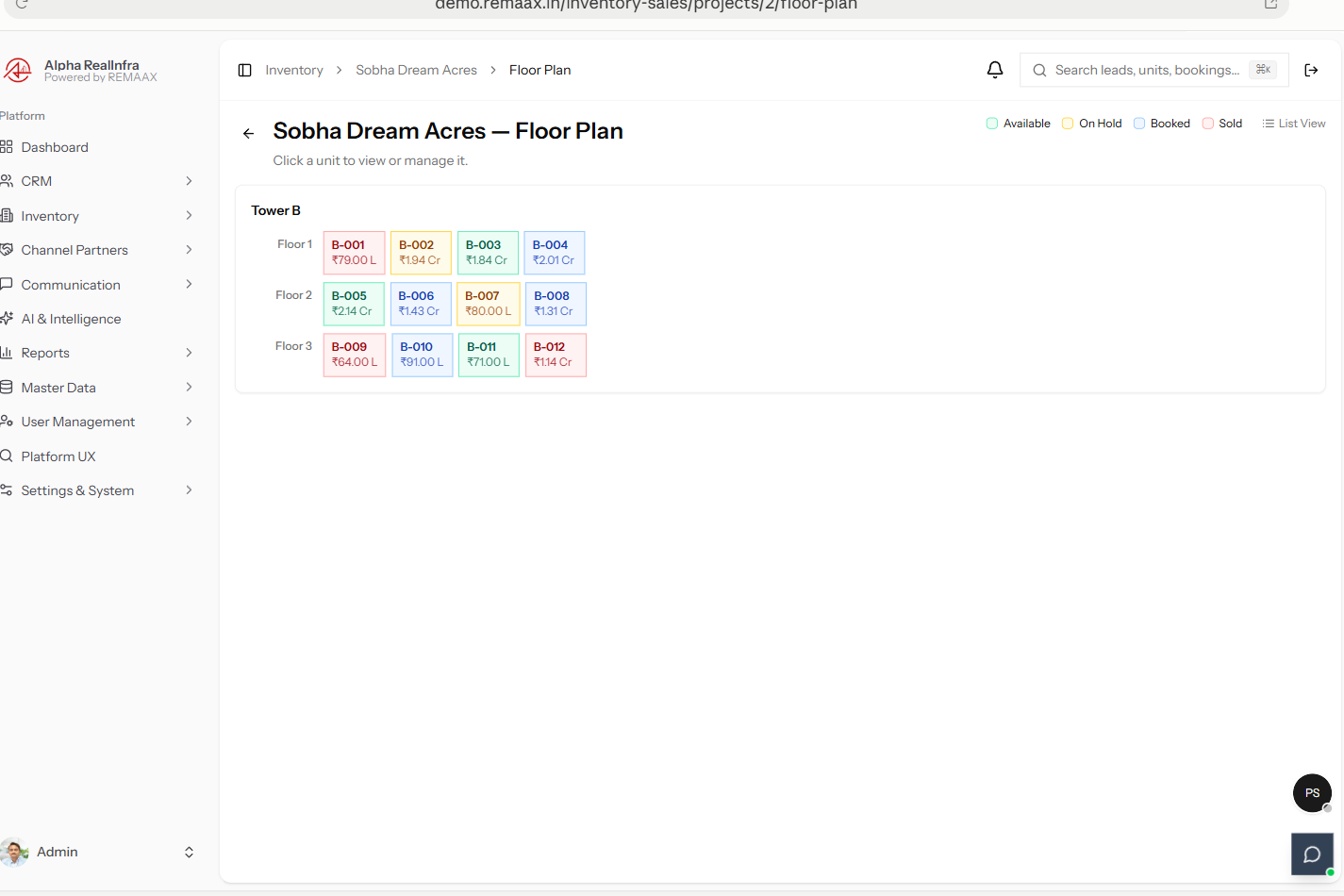
Floor Plan View
Pick a Unit the Way You'd Pick It On Site.
Tower, floor, unit — click through the way buyers actually think about a project.
- Visual tower and floor picker — every unit colour-coded by status: available, on hold, booked or sold.
- Click a unit to manage it — same live inventory data, laid out the way a site visit conversation actually happens.
Booking & Approval Workflows
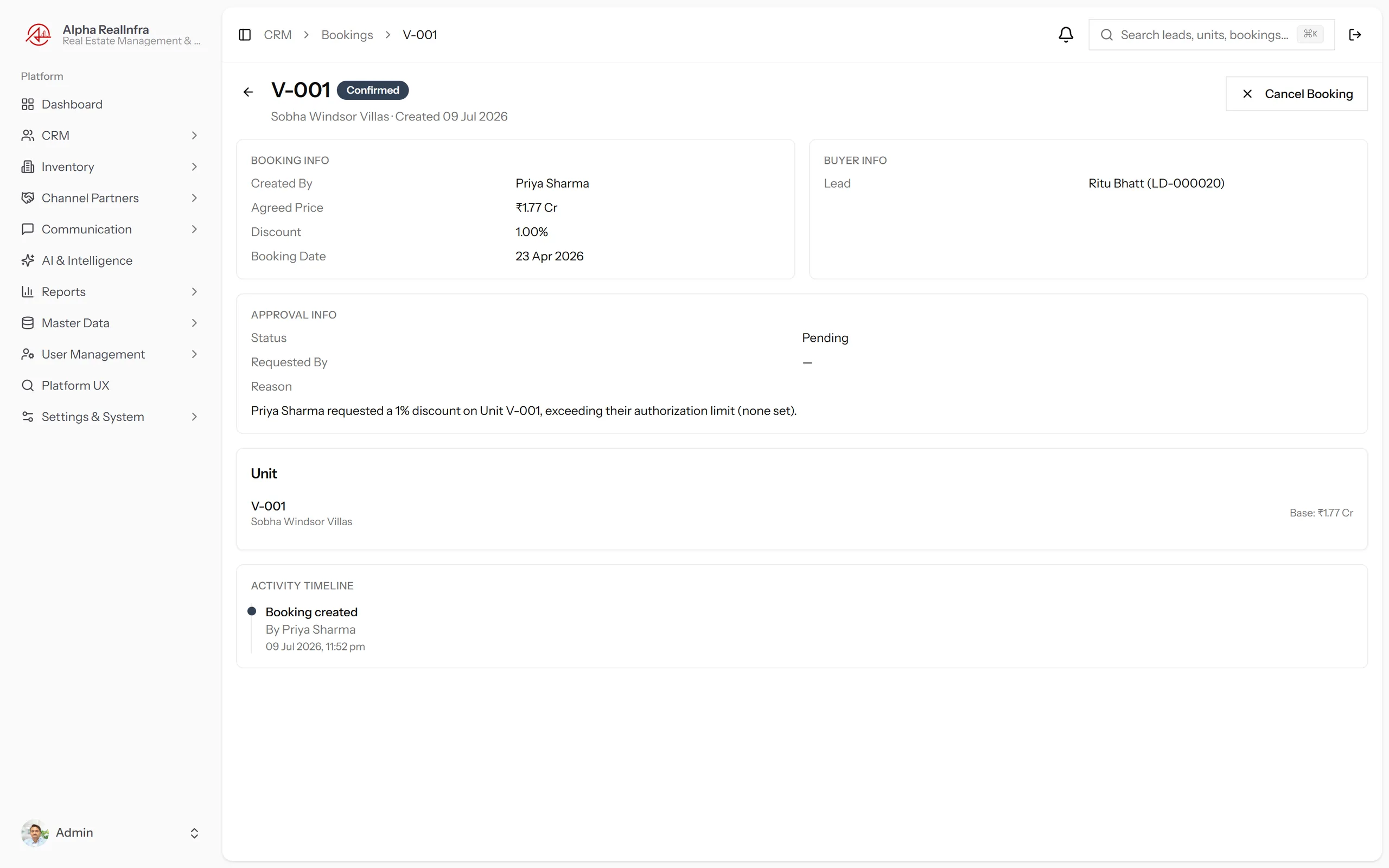
Discount Approval Built Into the Process.
Above threshold, it routes to the right approver. Automatically.
- Configurable discount thresholds — any request above routes upward before the booking is confirmed.
- Approval chain by role — Branch Manager, Director or whoever your configuration specifies.
- Full booking record with buyer linkage, agreed price, discount trail and confirmation status.
- Cancellation tracking — every cancellation logged with reason for source reporting.
Channel Partners
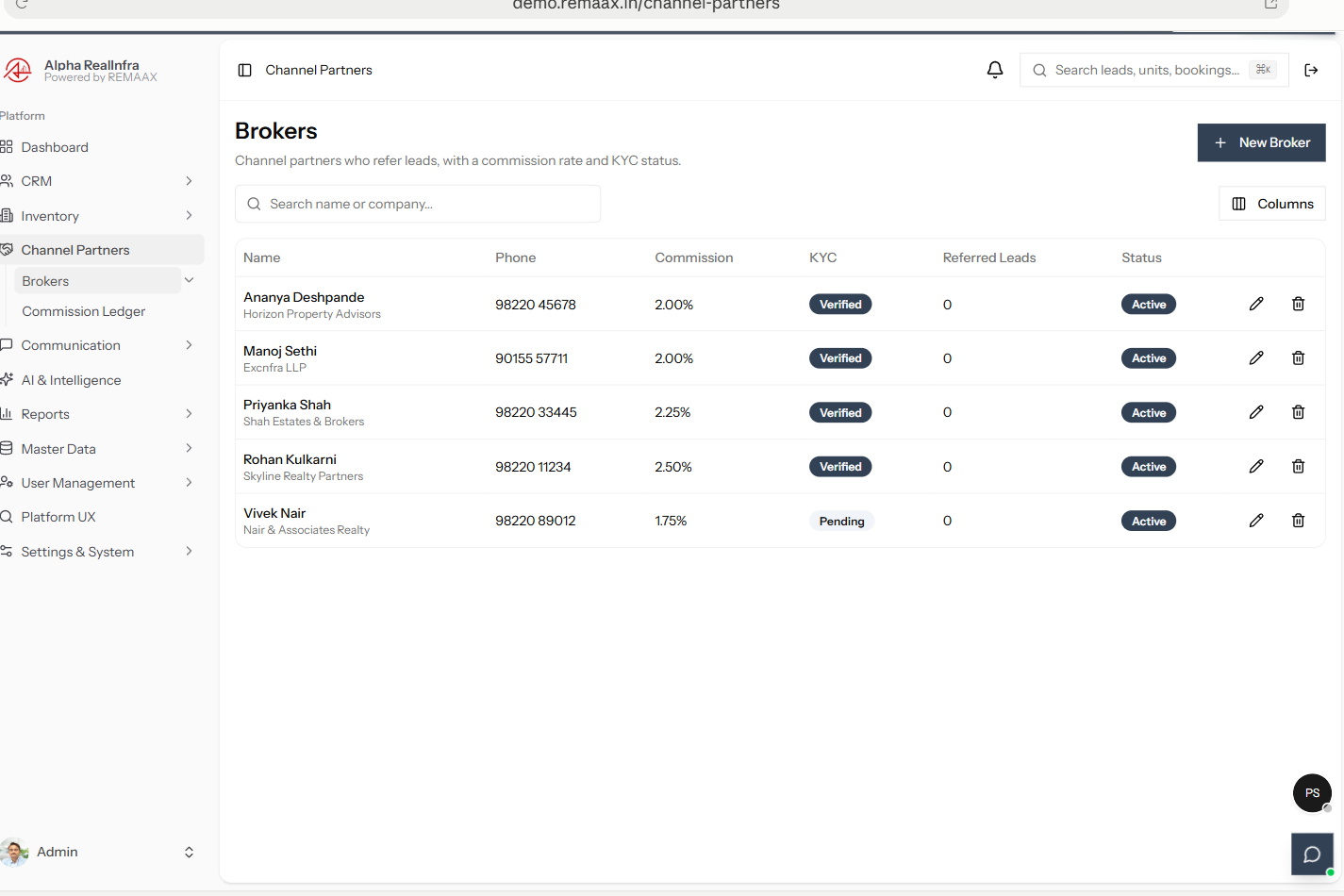
Every Partner Verified, Every Source Tracked.
The broker network, in one directory — not a spreadsheet on the side.
- Partner directory with RERA registration, KYC status, commission rate and active flag.
- Source performance reporting — which partners and channels actually convert to bookings.
Learn more: RERA Compliance Checklist for Channel Partners →
Commissions
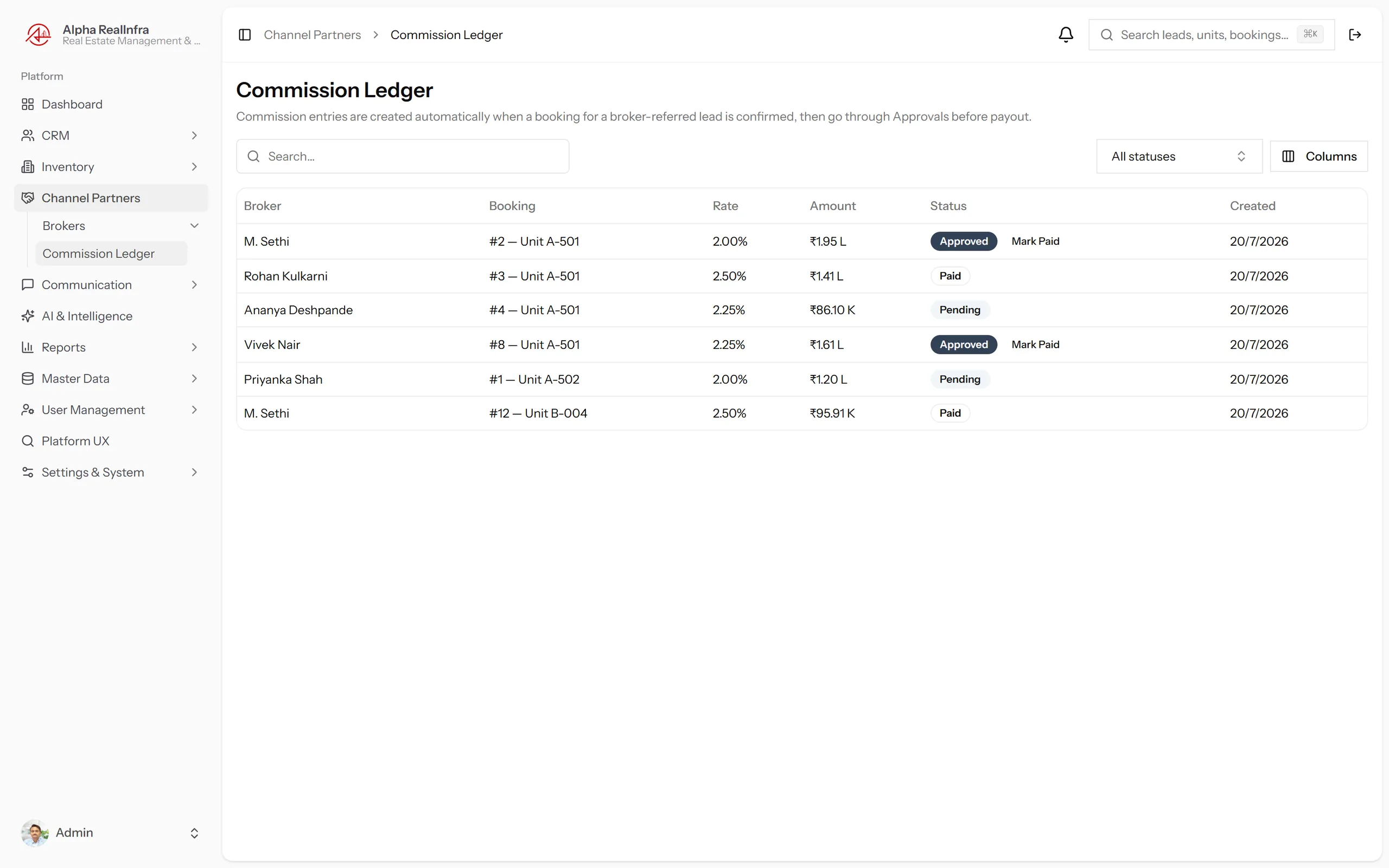
Partner Payouts That Create Themselves.
Booking confirmed, entry created — partner, rate, amount. Automatic.
- Auto-created commission entries on booking confirmation. Zero manual ledger work.
- Pending → Approved → Paid workflow searchable and filterable on every entry.
Learn more: Commission Tracking — Spreadsheet vs. Automated →
Communication
The Right Alert, to the Right Person, Automatically.
Rules, templates and in-app alerts — nobody has to remember to check.
Notification Rules
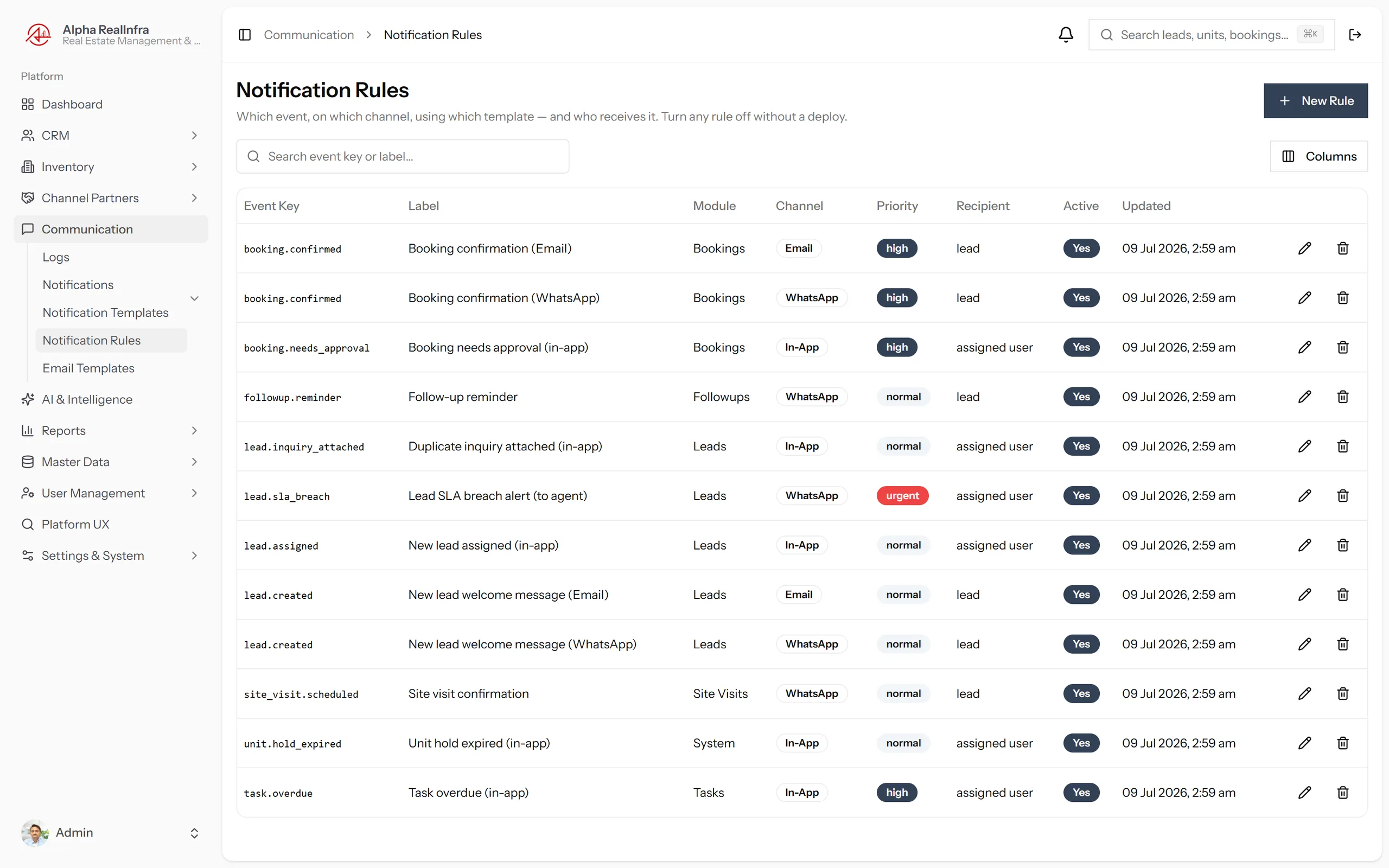
Context-Aware Alerts, Not Broadcast Noise.
Rules resolve recipients by context, not hardcoded lists.
- Rule-based recipient resolution — the system knows who the assigned manager is, automatically.
- Trigger on any system event — status changes, overdue follow-ups, new bookings, discount requests and more.
- In-app inbox with unread-count badge so nothing is missed even without checking email.
- Async delivery — notification sending never blocks the action that triggered it.
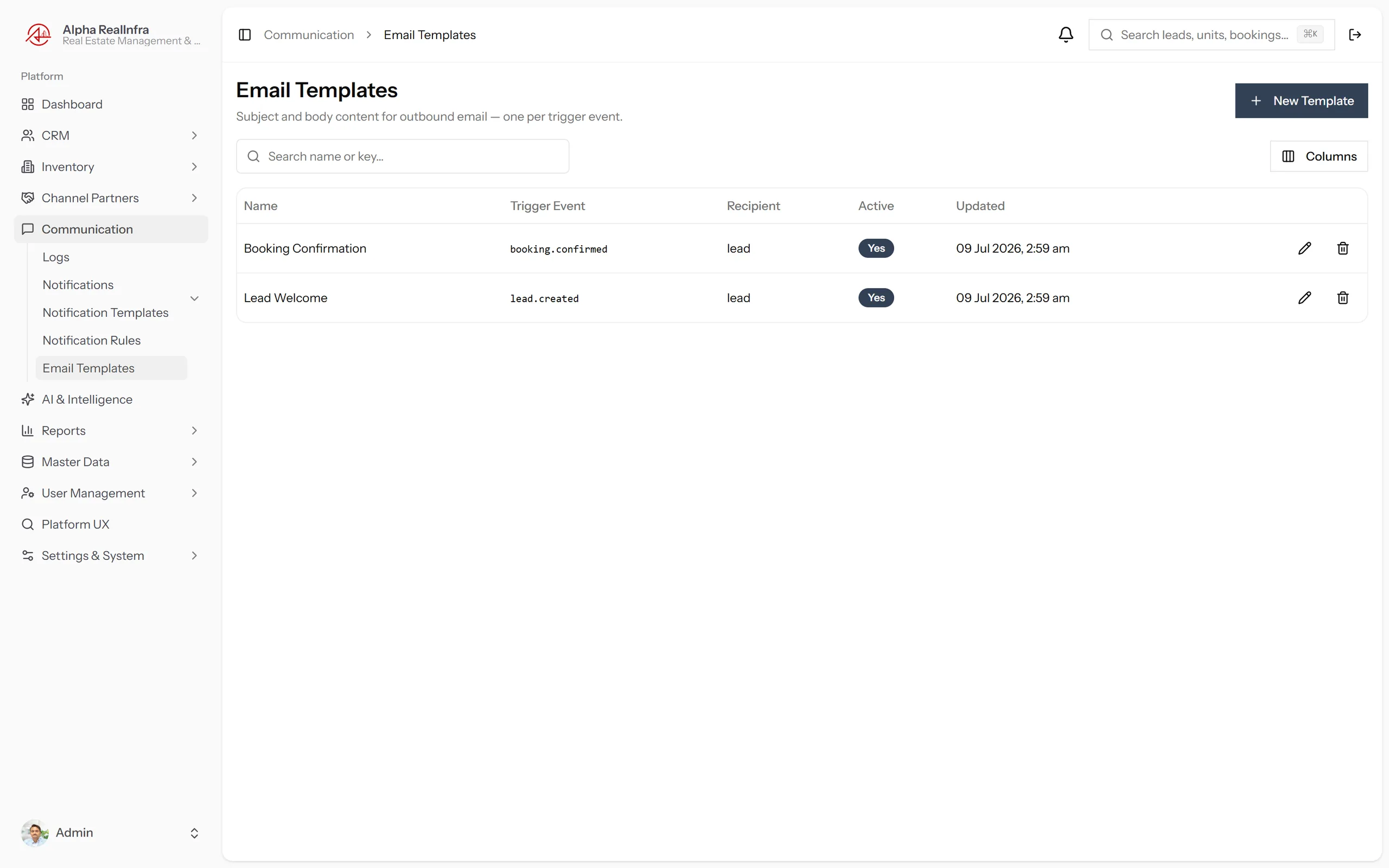
Email & Notification Templates
Your Words. Your Tone. No Developer Needed.
Subject, body, signature — every template, admin-editable.
- Email templates fully editable — subject, body and signature, all admin-controlled without code.
- Notification templates for in-app alerts — customisable, effective immediately on save.
- Changes take effect instantly — no deployment, no ticket, no waiting for a developer.
Reports & Insights
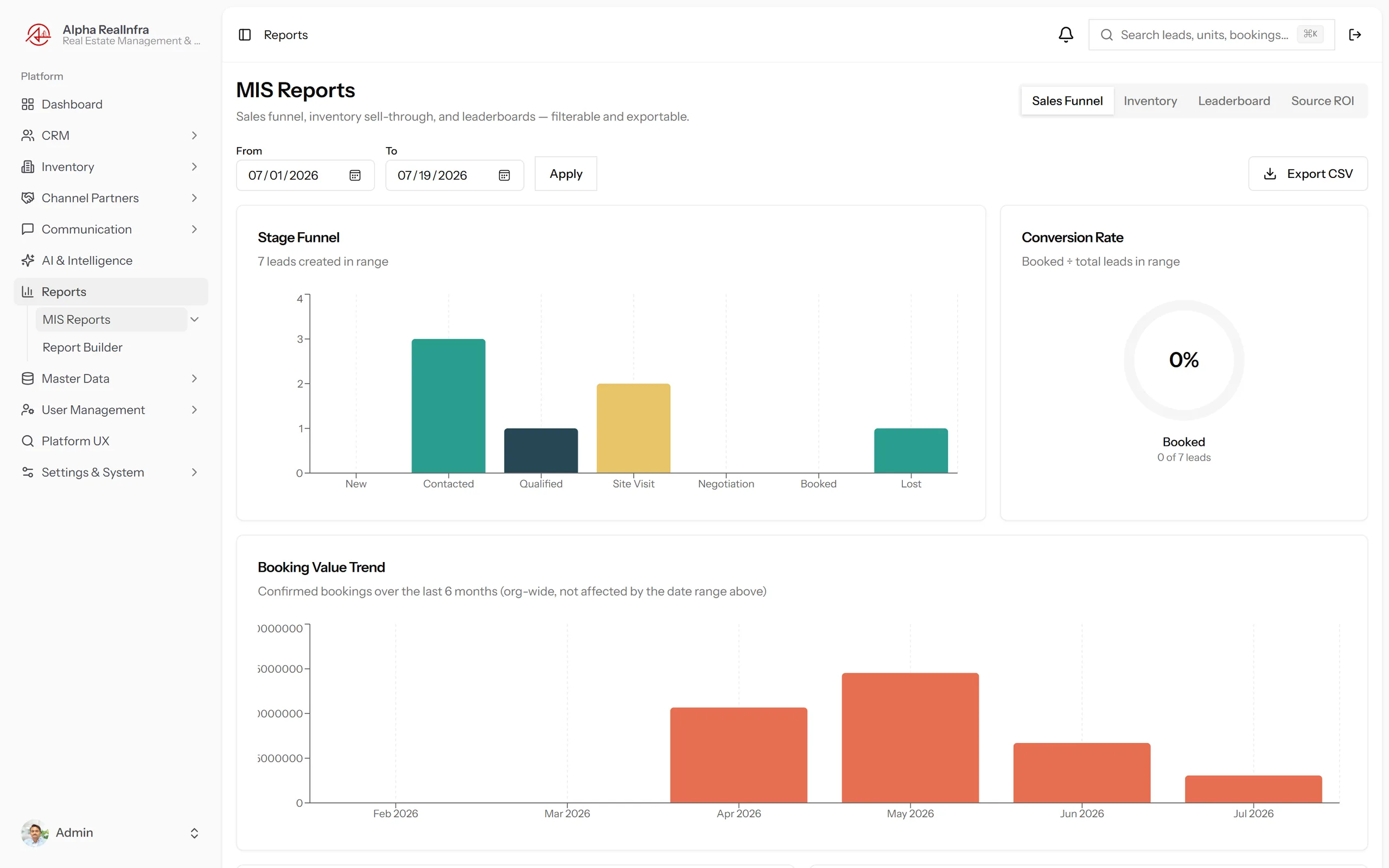
From Gut-Feel to Data-Backed Decisions.
Role-Based Dashboards & MIS Reports
The Whole Organisation, Scoped Automatically.
Every dashboard scopes itself to the viewer, automatically.
- Lead conversion funnel — stage-by-stage drop-off; click any bar to filter the lead list to that stage.
- Lead sources breakdown — which channels produce qualified buyers vs. which just produce volume.
- Monthly bookings trend — confirmed bookings over the last 6 months on every dashboard.
- Booking value in Lakh/Crore — natively formatted everywhere, no mental arithmetic required.
Custom Report Builder
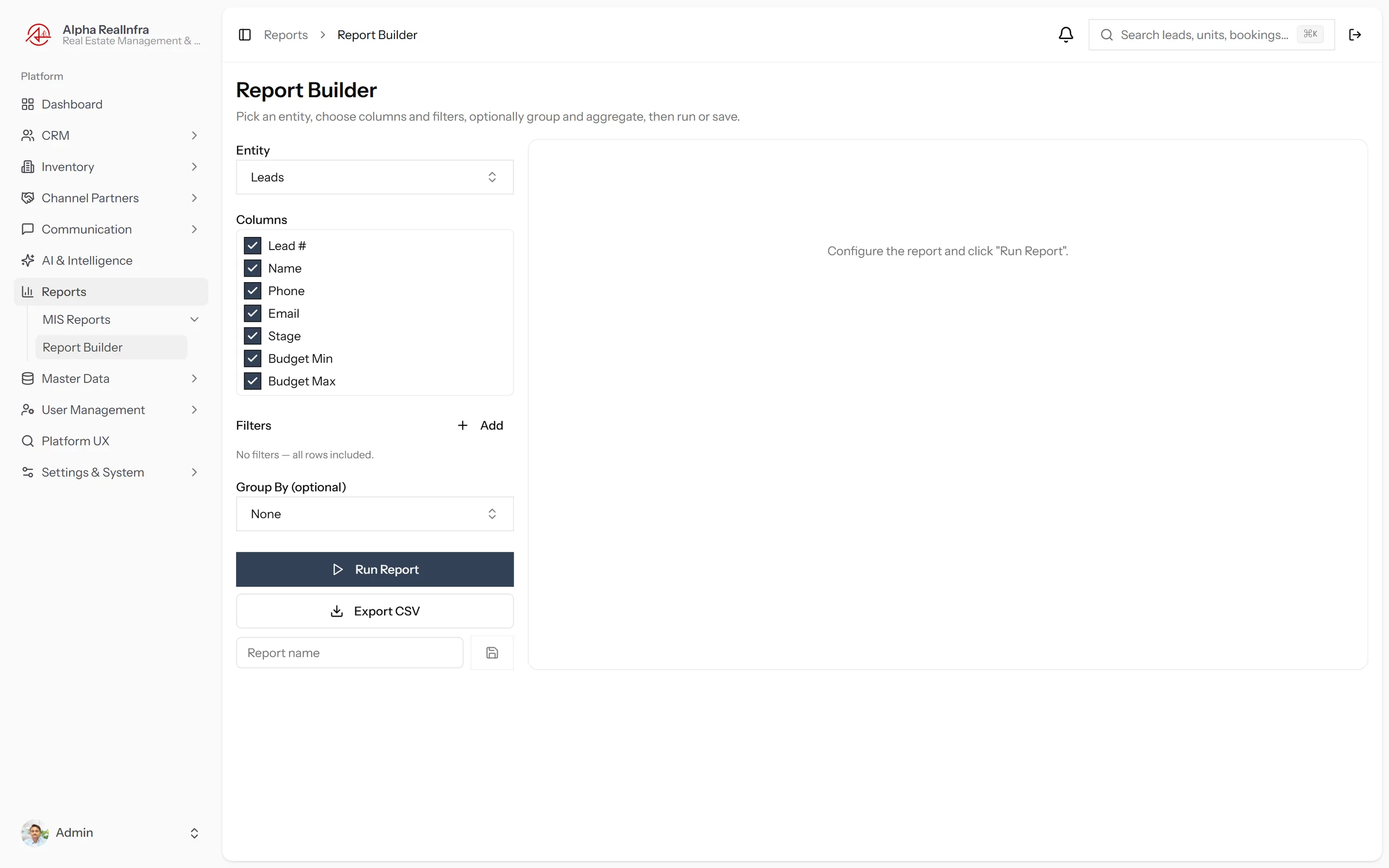
Any Query. No IT Ticket.
Any data the platform holds. No developer, no ticket.
- Visual report builder — choose dimensions, filters and date ranges through a point-and-click interface.
- Export to download for sharing in management presentations or finance reviews.
- Save report configurations for recurring queries your team runs every week or month.
User Management & Permissions
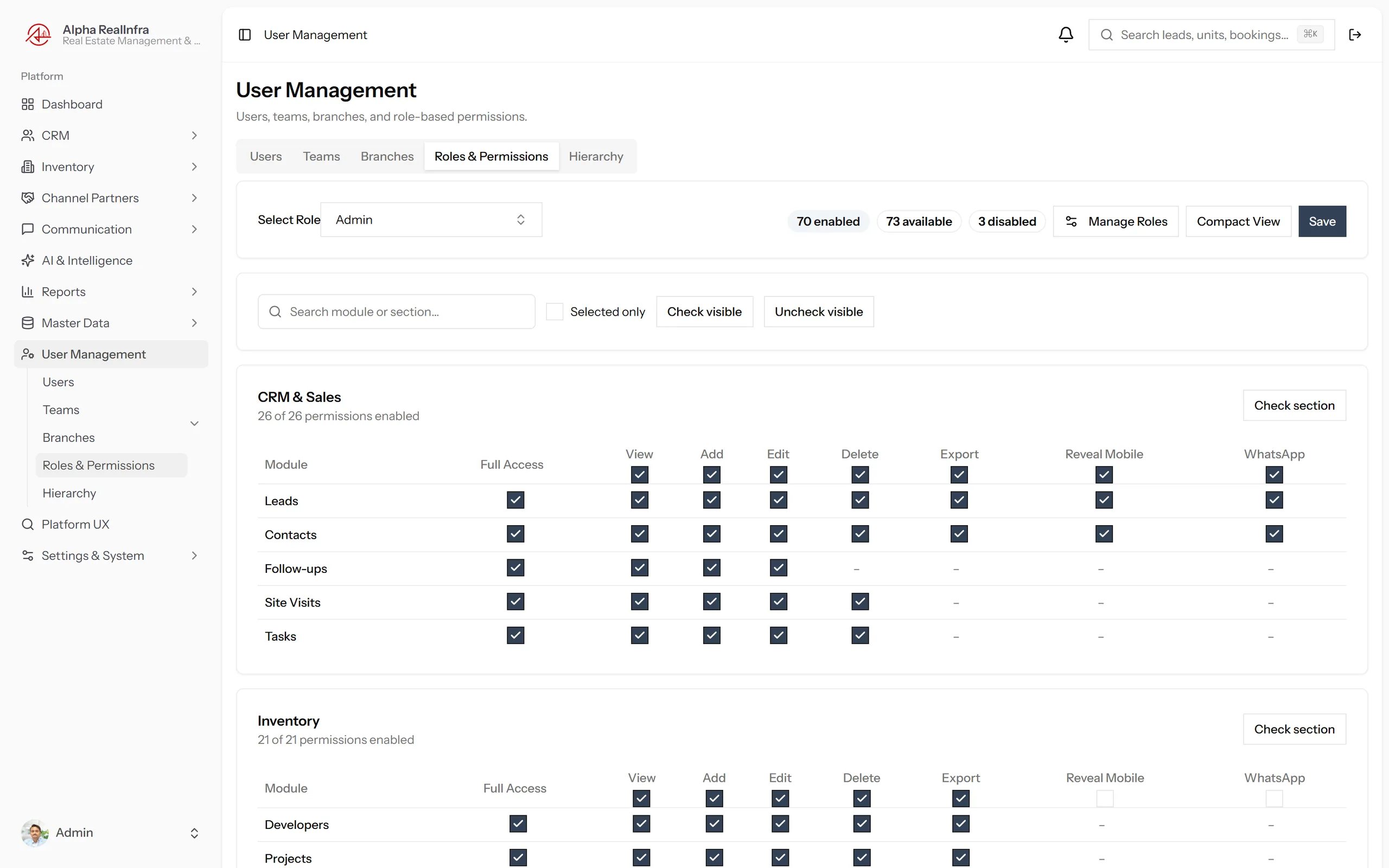
Multi-Level Roles. Granular Control Across the Whole Platform.
Roles & Permission Matrix
Every Action, Every Module — Controlled.
Every module, every action — defined once, applied everywhere.
- Module × action matrix covers CRM, Inventory, Commissions, Reports, User Management, Settings and more.
- Phone number reveal is a separate grantable permission — agents see masked numbers by default, reveal requires explicit access.
- Export gating — data downloads require explicit role-level permission, not just login.
- Consistent structure — new modules added to the platform inherit the same permission framework automatically.
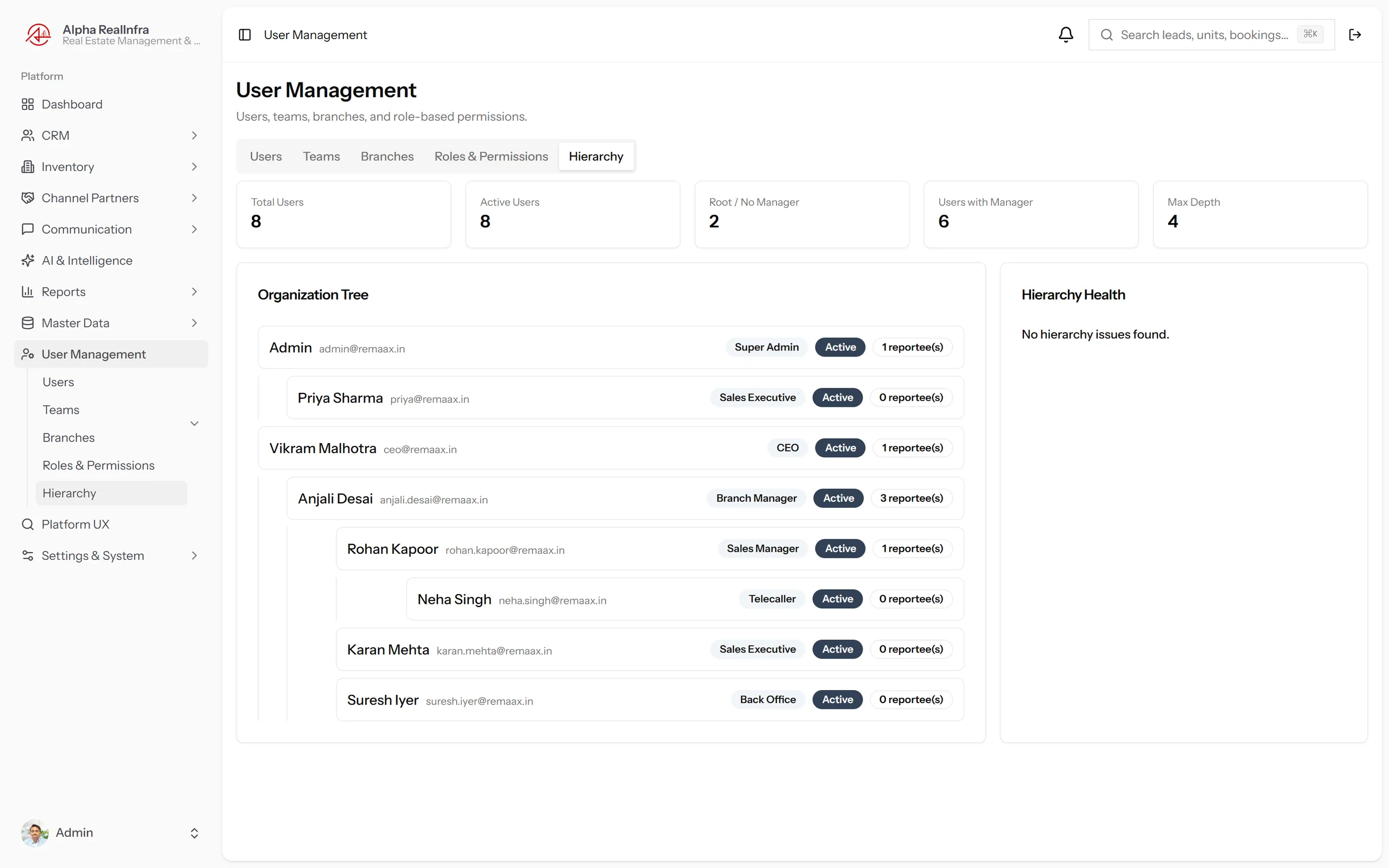
Reporting Hierarchy & Teams
Org Structure That Drives the Whole Platform.
Drives dashboard scoping and approval routing, automatically.
- Org hierarchy visualised — who reports to whom, rendered as an actual org structure, not a dropdown.
- Branches and teams reflect your real organisation and are used throughout the platform.
- Dashboard scoping is automatic — a branch manager's dashboard shows their team's data, not the whole org.
- Users list with login history, avatar, phone and role assignment.
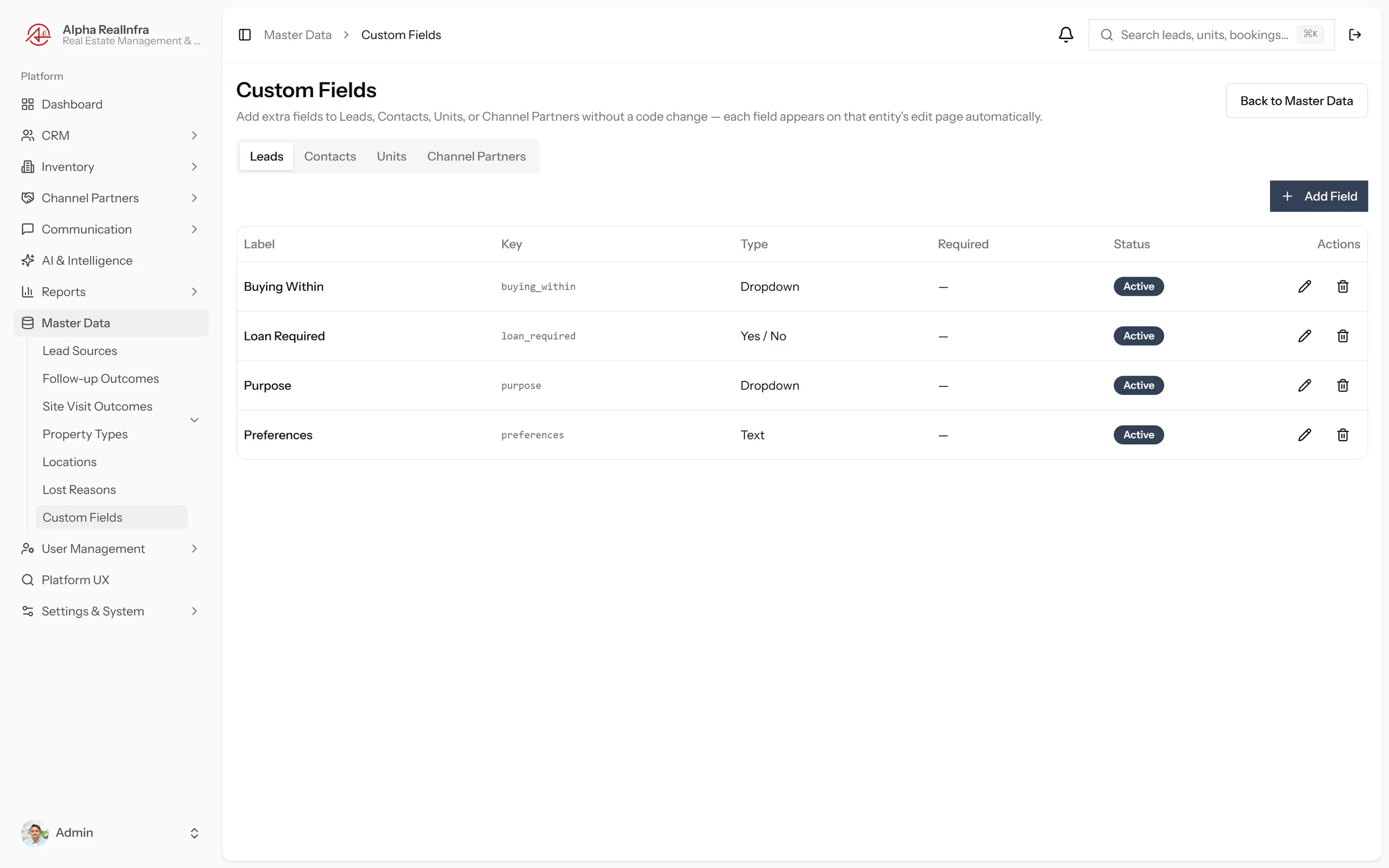
Master Data & Custom Fields
Admin-Configurable. No Developer, No Ticket.
Every list, admin-editable the same afternoon.
- Custom Fields module — add new fields to leads and other entities without any code.
- All dropdown values admin-editable — your process changes, the system follows immediately.
- Contacts module with one-click lead conversion and CSV import for quick onboarding.
See Every Module in a Live Session.
Tell us which solution matters most — we start there.
For Developers & Brokerages · Every Role · Every Device